

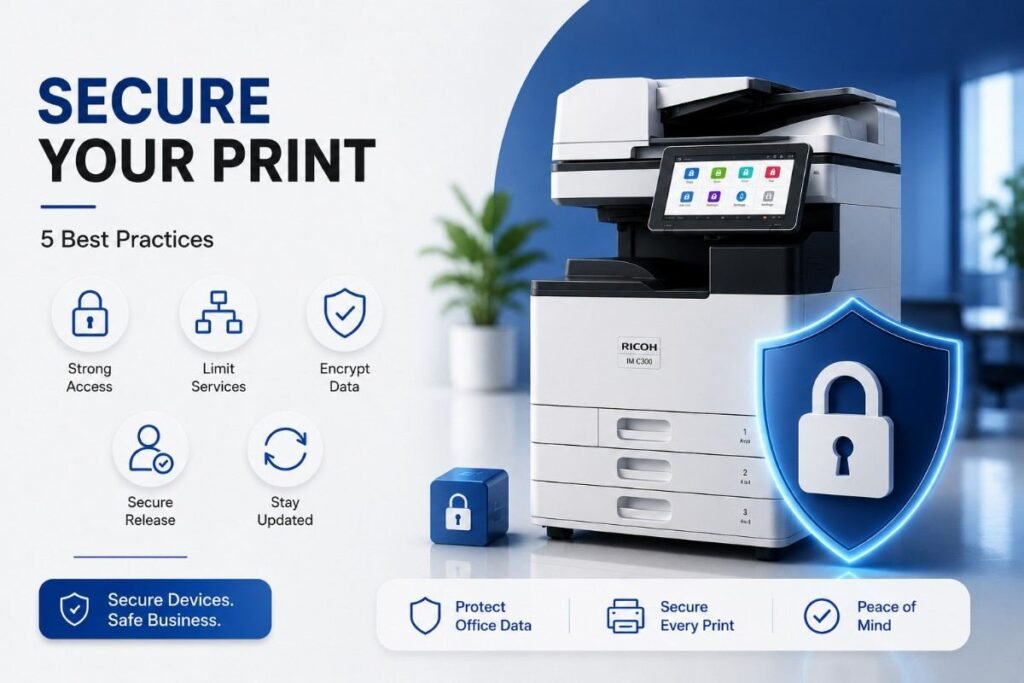
Network printers are often the weakest link in office cybersecurity. Many businesses invest heavily in firewalls, endpoint protection, and email security—but overlook the devices that handle sensitive documents every single day. Unsecured printers can expose confidential client information, financial records, and employee data to cybercriminals.
Organizations face a growing threat from unsecured network printers, which can be exploited to gain unauthorized network access. According to recent security reports, printer vulnerabilities represent a significant entry point for attackers, yet they remain one of the most neglected areas of IT security.
This guide covers securing network printers through five essential best practices. Whether you’re an IT manager in Doha or a small business owner in Lusail, these steps will help you protect your office from printer-related security breaches.
Why Printer Security Matters
Network printers store a surprising amount of sensitive data. Print jobs often contain financial records, employee information, legal documents, and customer data. If a printer is compromised, attackers can access:
Stored print jobs – Documents waiting to be released
Scan-to-email logs – Captured file names and destinations
Network credentials – If the printer uses domain authentication
Fax transmissions – Potentially sensitive communications
Understanding printer cyber security vulnerabilities is the first step toward protecting your office. Common vulnerabilities include default credentials, unencrypted data transmission, and outdated firmware.
5 Best Practices for Securing Network Printers
1. Change Default Credentials Immediately
Many printers ship with default usernames and passwords—often “admin/admin” or “admin/1234.” Attackers scan for these defaults to gain unauthorized access.
How to secure network printer settings:
Change the default administrator password immediately after installation
Use strong passwords (12+ characters, mix of letters, numbers, and symbols)
Avoid using the same password across multiple printers
Store credentials in a secure password manager
A printer with factory-default credentials is essentially an open door to your network. This is one of the most critical steps in securing network printers that many offices overlook.
2. Disable Unused Services and Ports
Printers often come with multiple services enabled by default—many of which you may never use. Each open service represents a potential entry point for attackers.
Check and disable:
Telnet – Replaced by SSH for secure remote access
FTP – Use SFTP or HTTPS instead
SNMP v1/v2 – Upgrade to SNMP v3 for encrypted management
Web services – Disable any unused web-based administration features
Print protocols – Only keep protocols your office actually uses (e.g., IPP, LPR)
Most offices only need a handful of services. Disabling unused ports and services significantly reduces your attack surface and is a core element of any office printer security checklist.
3. Enable Data Encryption
Print jobs travel across your network in plain text unless encryption is enabled. This means anyone with access to your network traffic could potentially intercept and read sensitive documents.
Encryption best practices:
Enable IPSec or SSL/TLS for network communication
Use HTTPS for accessing the printer’s web interface
Enable SNMPv3 instead of v1/v2
Encrypt data stored on the printer’s hard drive
Use secure print release so jobs only print when the user authenticates
Many modern printers support network printer security best practices like automatic encryption. Check your printer’s security settings menu to enable these features.
4. Implement Secure Print Release and User Authentication
Secure print release requires users to authenticate at the printer before their document prints. This prevents sensitive documents from sitting in the output tray where anyone can see them.
Authentication methods to implement:
PIN code release – User enters a PIN at the printer
Badge/tap-to-print – Uses employee ID badges
Username/password – Integrated with domain credentials
Multi-factor authentication – Combined methods for higher security
This is particularly important in open office environments where multiple people share printers. Secure print release is considered one of the most effective network printer security best practices for offices handling sensitive documents.
5. Keep Firmware and Software Updated
Printer manufacturers regularly release firmware updates to patch security vulnerabilities. Outdated firmware is one of the most common printer cyber security vulnerabilities that attackers exploit.
Update best practices:
Enable automatic updates where available
Check for firmware updates quarterly
Subscribe to security notifications from your printer manufacturer
Test updates on a non-production printer first
Document update schedules and applied patches
A single unpatched vulnerability can compromise an entire network. For how to secure network printer settings, regular updates are non-negotiable.
Additional Security Measures for High-Security Offices
For offices handling classified or highly sensitive information, consider these advanced measures:
Network segmentation – Place printers on isolated VLANs
Hard drive encryption – Prevents data recovery from discarded drives
Secure scanning – Scan to encrypted folders only
Audit logging – Track who printed what and when
Access control lists – Restrict who can access the printer’s administrative interface
The Trojan Technologies Security Advantage
Trojan Technologies helps businesses in Qatar implement robust printer security measures. Our IT services include:
Printer security audits
Secure print setup and configuration
Firmware update management
Network segmentation consulting
AMC services with security monitoring
With 15+ years of experience, we understand the unique printer cyber security vulnerabilities facing businesses in Doha, Al Rayyan, Al Wakrah, and Lusail.
Frequently Asked Questions
1. Why is securing network printers important for office security?
Securing network printers is critical because printers store sensitive data and can be exploited as entry points for attackers. A compromised printer can expose financial records, employee data, and confidential client information.
2. What are common printer cyber security vulnerabilities?
Common vulnerabilities include default credentials, unencrypted data transmission, outdated firmware, open ports, and lack of user authentication. Addressing these issues is essential for securing network printers.
3. How do I secure network printer settings?
To secure network printer settings, change default passwords, disable unused services, enable encryption, implement secure print release, and keep firmware updated. This forms a comprehensive office printer security checklist.
4. What is secure print release?
Secure print release requires users to authenticate at the printer before documents print. This prevents sensitive documents from sitting in the output tray and is a key network printer security best practice.
5. How often should printer firmware be updated?
Check for firmware updates quarterly and install critical security patches immediately. Manufacturers release updates to address known printer cyber security vulnerabilities.
6. What encryption protocols should printers use?
Printers should use IPSec, SSL/TLS for network communication, HTTPS for web interfaces, and SNMPv3 for management. Hard drive encryption should also be enabled.
7. Can network printers be hacked remotely?
Yes, if they have open ports, default credentials, or unpatched vulnerabilities. Attackers can exploit printer cyber security vulnerabilities to gain network access or steal data.
8. How can Trojan Technologies help with printer security?
Trojan Technologies offers printer security audits, secure print setup, firmware updates, network segmentation, and AMC services with security monitoring for businesses across Qatar.
Final Thoughts
Securing network printers is not optional. With cyberattacks on the rise, every device on your network must be protected. By following these network printer security best practices—changing default credentials, disabling unused services, enabling encryption, implementing secure print release, and keeping firmware updated—you can significantly reduce your organization’s risk.
Trojan Technologies helps businesses in Qatar implement comprehensive printer security measures. Contact us today for a free security consultation.
📞 Call: +974 4416 8660
🌐 Website: trojantechnologies.qa
📍 Serving businesses across Doha, Al Rayyan, Al Wakrah, and Lusail.