

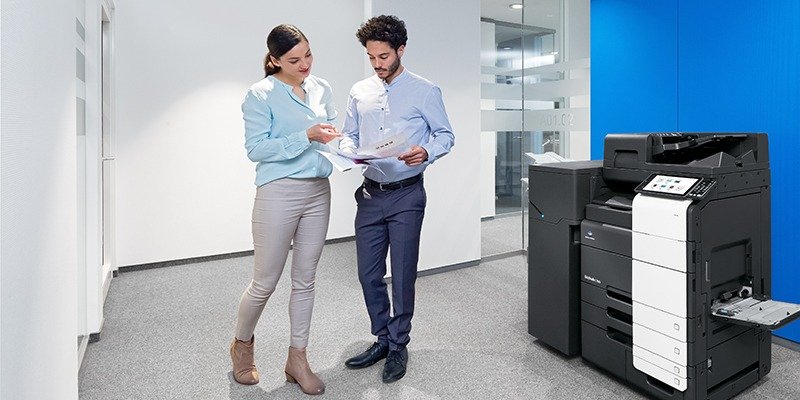
Finding the perfect printer for your office can be overwhelming. With so many models, features, and price points available, knowing where to start is half the battle. This guide is designed to help you choose best all in one printer for office that fits your specific business needs—whether you run a small startup in Doha or manage a growing team in Lusail.
An all-in-one printer combines printing, scanning, copying, and often faxing into one compact device. It saves space, cuts costs, and streamlines workflows. But not every model is right for every office. In this guide, we’ll walk you through a step-by-step process to choose best all in one printer for office with confidence.
What Is an All in One Printer?
Before learning how to choose all in one printer, it’s helpful to understand what it is. An all-in-one printer—also called a multifunction printer (MFP)—combines several office tools into one machine:
-
Printing – High-quality black-and-white or color documents
-
Scanning – Digitize paper documents for storage or email
-
Copying – Make duplicates of physical documents
-
Faxing – Send and receive faxes (available on select models)
These devices are ideal for offices that need multiple functions but want to save space and reduce equipment costs.
👉 Learn More About All in One Printers
Why You Should Choose Best All in One Printer for Office
Choosing the right all-in-one printer is about more than brand or price. The right machine can improve productivity, reduce operating costs, and simplify document management. Here are the main reasons businesses invest in the best all in one printer for office:
1. Space efficiency
All-in-one printers replace up to four separate devices. This clears valuable desk and floor space.
2. Cost savings
One device costs less to buy, maintain, and power than multiple single-function devices. Over time, this can significantly reduce your office overhead.
3. Workflow improvement
Employees can print, scan, copy, and fax without switching between machines. This saves time and reduces frustration.
4. Professional output
Many all-in-one printers offer high-quality printing, scanning, and finishing options. This helps businesses produce professional documents in-house.
All in One Printer Selection Guide – Key Factors to Consider
An effective all in one printer selection guide should focus on the features that matter most for your office. Here are the most important factors to evaluate.
1. Print Speed
Print speed is measured in pages per minute (PPM). A busy office with multiple users needs a faster machine.
Guidelines:
-
Small offices (1–5 users): 20–30 PPM
-
Medium offices (5–15 users): 30–50 PPM
-
Large offices (15+ users): 50+ PPM
If your team often waits for print jobs, speed should be a top priority.
2. Print Quality
For professional documents, look for a resolution of at least 600 x 600 dpi. For marketing materials or photos, choose 1200 x 1200 dpi or higher. The all in one printer features to consider should always include resolution.
3. Connectivity
Modern offices need flexible connectivity. Look for these features:
-
Wi-Fi – Wireless printing from laptops, phones, and tablets
-
Ethernet – Wired network connection for stability
-
Mobile printing – Support for Apple AirPrint, Google Cloud Print, or manufacturer apps
-
USB – Direct printing from flash drives
Cloud integration is also valuable. Some models allow scanning directly to Google Drive, OneDrive, or Dropbox.
4. Paper Capacity
Paper capacity affects how often the printer needs refilling. For busy offices, choose a model with at least two paper trays and a total capacity of 500–1,000 sheets.
Additional features:
-
Automatic Document Feeder (ADF) – Essential for bulk scanning and copying
-
Duplex printing – Automatic double-sided printing saves paper
-
Finishing options – Stapling, hole punching, and booklet making for professional documents
5. Security Features
Many businesses overlook security when buying printers. However, all-in-one printers store sensitive information. Features like user authentication, secure print release, and hard drive encryption protect your data.
All in One Printer Buying Guide – Cost and Ownership
A smart all in one printer buying guide must include the total cost of ownership—not just the upfront price.
Cost Per Page (CPP)
Cost per page includes toner, maintenance, and other consumables. Low-cost cartridges or high-yield toner can dramatically reduce CPP. For offices with high print volumes, this is a key metric.
Lease vs. Buy
Many businesses lease printers instead of buying. Leasing offers predictable monthly costs, includes maintenance, and makes upgrades easier. Buying requires a larger upfront investment but gives you full ownership.
For most offices, leasing is a flexible and cost-effective option.
How to Choose All in One Printer – Step-by-Step
Here’s a practical process to choose best all in one printer for office:
Step 1 – Assess your printing needs
Start by answering these questions:
-
How many pages do you print monthly?
-
How many employees will use the printer?
-
Do you need color or monochrome?
-
What paper sizes do you regularly use?
-
How important are scanning and faxing?
Step 2 – Set your budget
Determine how much you’re willing to spend upfront and monthly. Factor in toner, maintenance, and service contracts.
Step 3 – Compare key features
Use the all in one printer features to consider list above to compare models. Focus on speed, print quality, connectivity, and security.
Step 4 – Read reviews and ask for recommendations
Check reviews from other businesses and ask for expert advice. Trojan Technologies offers free consultations and product demos.
Step 5 – Test before buying
If possible, request a demo or trial. This helps you see the device in action before committing.
👉 Contact Us for Expert Advice
Frequently Asked Questions
1. What is the best all in one printer for office?
The best all in one printer for office depends on your team size, print volume, and budget. For most offices, a multifunction device with 30–50 PPM, duplex printing, and ADF is a smart choice.
2. How to choose all in one printer for a small office?
To choose all in one printer, assess your monthly print volume, available space, and budget. Look for a compact model with 20–30 PPM and basic scanning features.
3. What is an all in one printer selection guide?
An all in one printer selection guide is a checklist of features to consider before buying. It includes print speed, resolution, connectivity, paper capacity, and security.
4. What all in one printer features to consider for security?
When evaluating all in one printer features to consider, look for hard drive encryption, user authentication, secure print release, and audit logs.
5. How does an all in one printer buying guide help?
An all in one printer buying guide helps you compare models based on cost, features, and ownership. It reduces the risk of buying the wrong device.
6. Should I lease or buy an all in one printer?
Leasing offers predictable monthly costs and maintenance included. Buying gives full ownership. Leasing is more common for offices with changing needs.
7. What is the difference between an all in one printer and a single-function printer?
An all-in-one printer prints, copies, scans, and often faxes. A single-function printer only prints. For most offices, an all-in-one is the better investment.
8. Can an all in one printer handle high-volume printing?
Yes, many all-in-one printers are designed for high-volume use. Choose a model with a recommended monthly duty cycle that matches your print volume.
Final Thoughts
Taking the time to choose best all in one printer for office is an investment in your business’s productivity. By following this all in one printer buying guide, you can make an informed choice that fits your needs, budget, and workspace.
Trojan Technologies offers a wide selection of all-in-one printers from trusted brands like Canon and Ricoh. Our team can help you compare models, understand costs, and find the perfect match for your office.
📞 Call: +974 4416 8660
🌐 Website: trojantechnologies.qa
📍 Serving businesses across Doha, Al Rayyan, Al Wakrah, and Lusail.